Thru the Bible CMS – Multi-Brand Design System Refactor
Designed and implemented a scalable theming strategy using ShadCN, enabling white-labeling, dark mode, and future multi-brand support — while delivering a clear migration plan and full design system transition.
TL;DR
TTB’s custom CMS dashboard was locked into a rigid, single-brand system with hardcoded styles. I designed and implemented a scalable theming strategy using ShadCN, enabling white-labeling, dark mode, and future multi-brand support — while delivering a clear migration plan and full design system transition.
Summary
Thru the Bible (TTB) needed their custom CMS dashboard — which handled global content for audio, video, and literature — to evolve beyond a one-brand, hardcoded system. My job was to develop a modern theming strategy and hand off scalable, developer-ready design assets using a flexible component architecture.
Problem
The current CMS (called ECMS) was fully custom-coded and hardwired to a single brand identity. Every color, radius, and layout value was baked directly into the code. That made it:
- Painful to maintain
- Impossible to theme for different brands
- Not future-ready for dark mode or accessibility updates
- The business wanted the ability to white-label the dashboard across international partners and brand contexts.
Team
- I was the lead designer overseeing design systems, implementation planning, and dev alignment
- Worked with TTB’s internal dev team who owned the React codebase
- Stack: Custom React + ShadCN + TailwindCSS
Role
- Audit of legacy system and variables
- Theming roadmap + migration plan
- Design system rebuild using ShadCN
- Created a transition guide mapping old tokens → new variables
- Designed net-new components where ShadCN didn’t meet needs
- Built dual system fallback: “legacy” + “modern” side-by-side
Constraints
- CMS was already live with real users
- Changes had to avoid disrupting production styling
- Some components were from an external library and had to be matched visually
- Had to support both static branding and future dynamic theming
Process
-
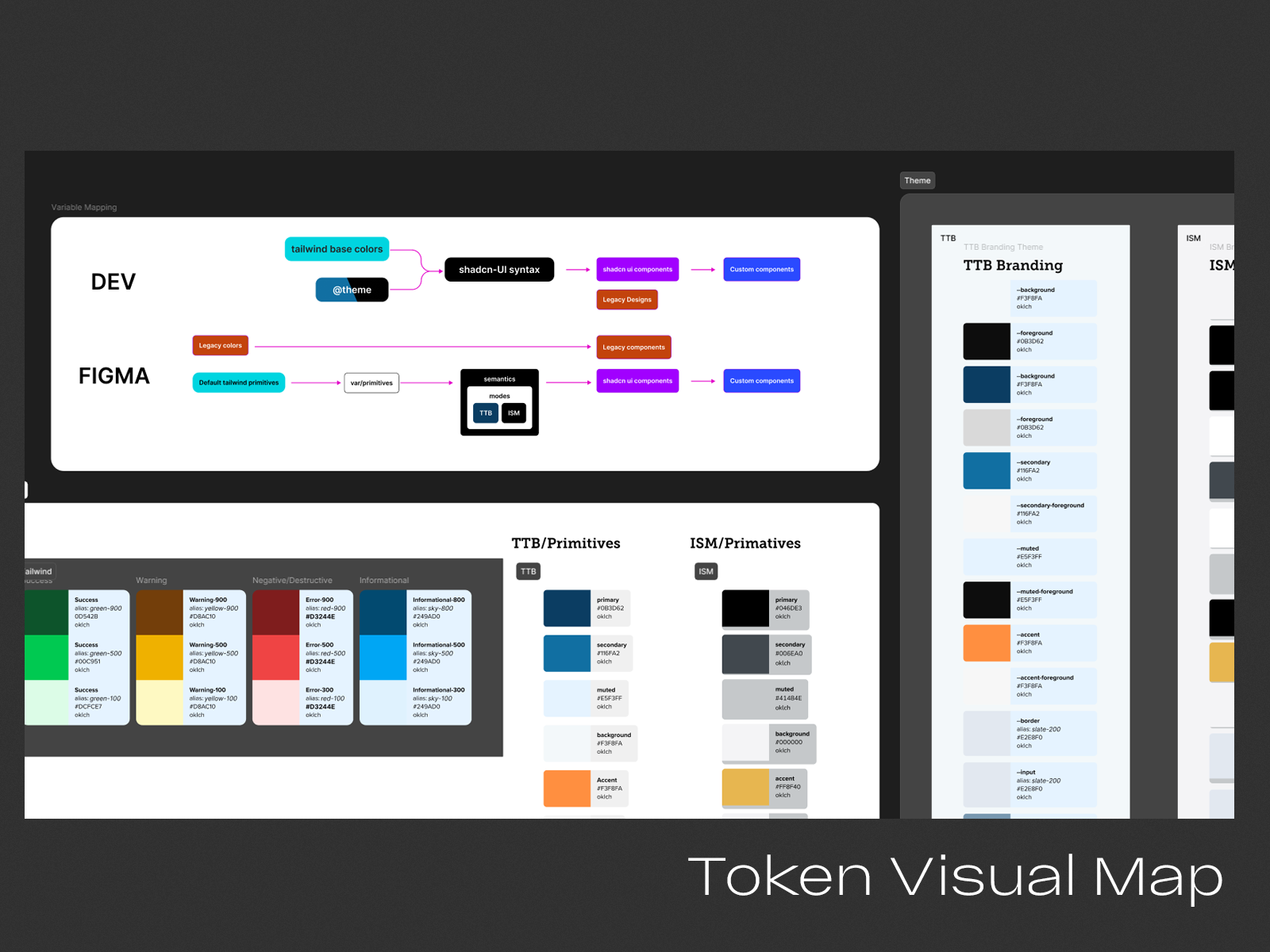
System Audit — Reviewed every hardcoded value in the current CMS — typography, spacing, borders, shadows, etc. Logged inconsistencies and created a variable map.
-
Theme Migration Plan — I built a doc that clearly mapped current values to ShadCN tokens and Tailwind variables. This served as a shared source of truth for devs.
-
Dual-System Setup — Created a “legacy” design system (what we had) and a “modern” one (using ShadCN). This made it easy to test changes incrementally without breaking the UI.
-
Custom Component Design — Used ShadCN as the base library. For components it didn’t cover — or didn’t match TTB’s brand — I designed custom versions that still fit within the theme token structure.
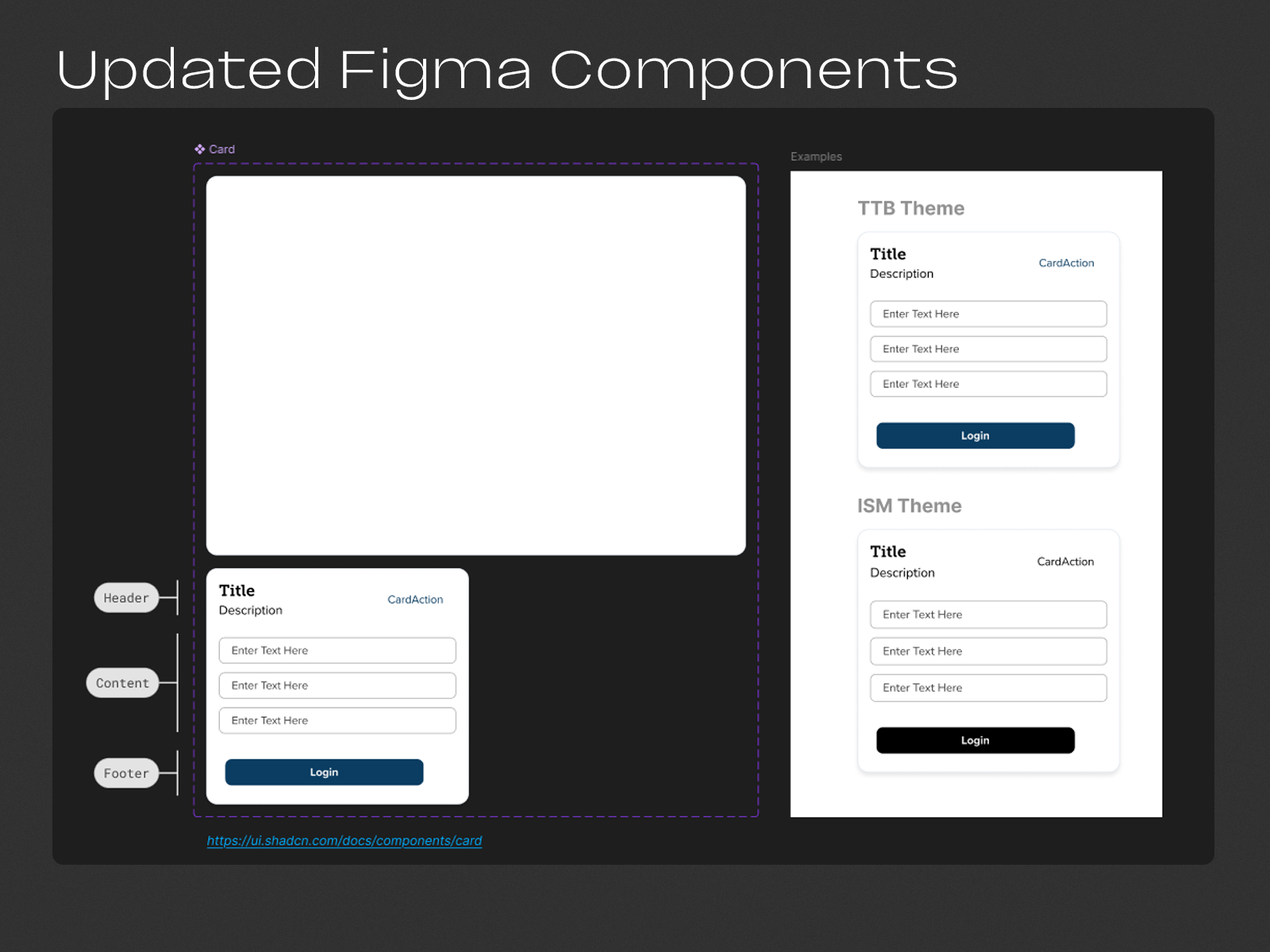
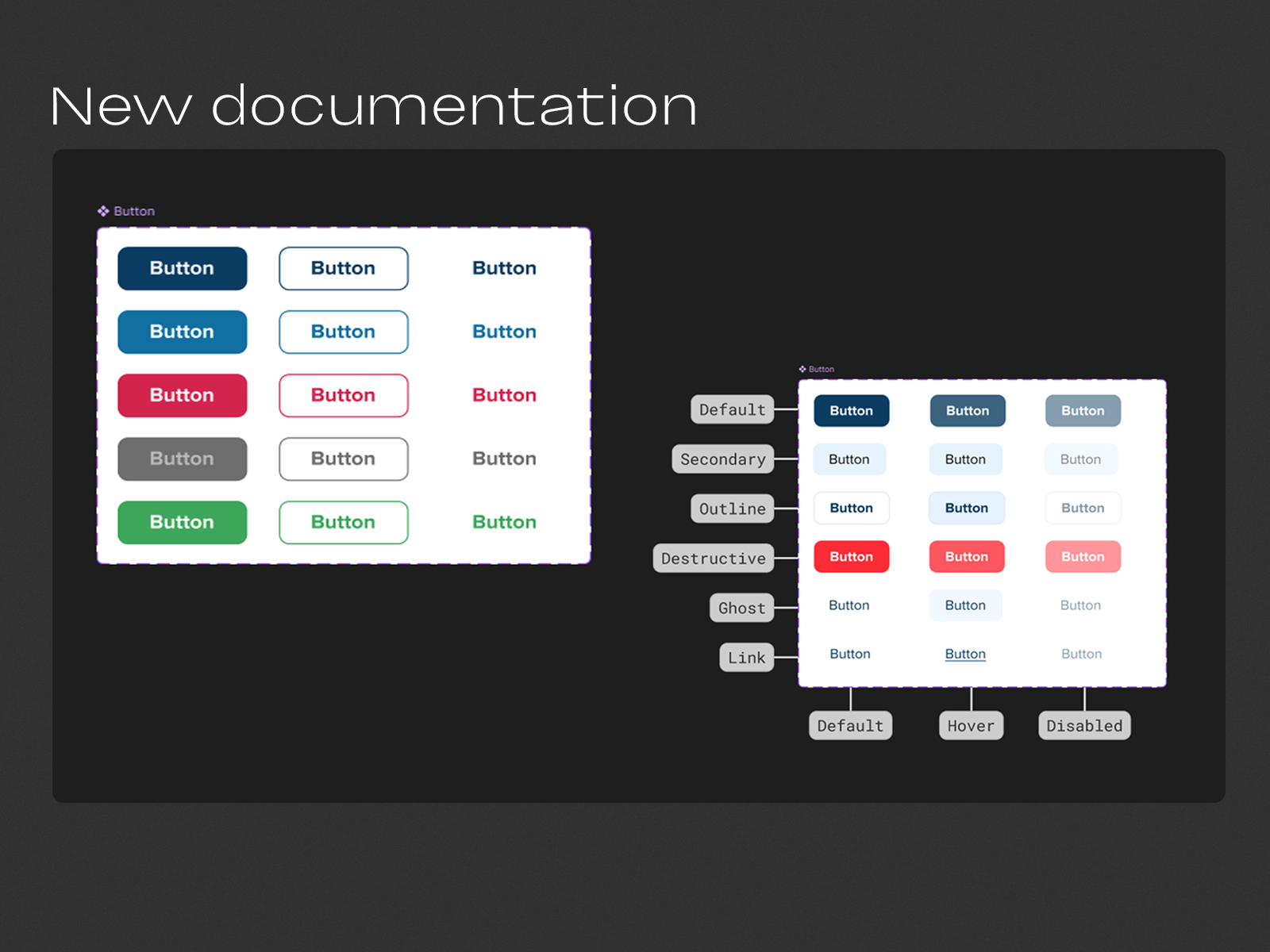
- White-Label Strategy — Outlined how to add future brand themes by updating a single CSS variable file — instead of hardcoding brand logic into components.
Results
- A full multi-brand theming architecture
- Devs unblocked from hardcoded visual decisions
- System now supports future white-label partners
- Ready for dark mode and accessibility upgrades
- Delivered a living design system for new features going forward
Learnings
The hardest part wasn’t the visual redesign — it was reverse-engineering and mapping the old system cleanly. This process taught me the value of creating transitionable systems: ones that don’t just look good but make future change cheaper. I now set up every new design system with theming baked in from day one — even if a client doesn’t ask for it up front.
Tagged: UX/UI, Design System